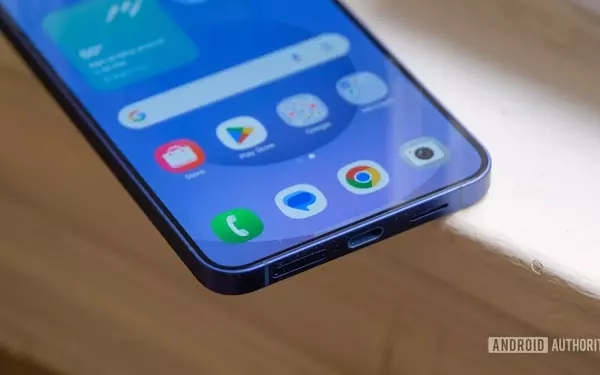
Unlock Seamless Connectivity: Your Googlebook, Your Phone, United.
Revolutionizing Cross-Device File Management with Quick Access
The recently launched Googlebook series, which began shipping to early adopters, brings forth a suite of novel software functionalities. Among these is the groundbreaking 'Quick Access' feature, designed to bridge the gap between your Googlebook and a paired Android smartphone. This innovation empowers users to effortlessly navigate, view, and exchange files between their devices, replicating the convenience of managing local storage.
Effortless Pairing and Instant File Browsing
Activating 'Quick Access' is a straightforward process: users simply open the 'Files' application on their Googlebook and select their connected Android device from the left-hand navigation panel. This grants immediate access to essential folders on the smartphone, such as 'Downloads', 'Documents', and 'Camera', facilitating instant content retrieval.
Streamlined Transfers and Size Limitations
'Quick Access' supports an intuitive drag-and-drop mechanism for file transfers, significantly simplifying the movement of data between the Googlebook and the Android phone. However, it's important to note a 200MB size restriction for these direct transfers. For files exceeding this limit, Google advises utilizing 'Quick Share'. Furthermore, this cross-device capability extends to email drafting, allowing users to swiftly attach files directly from their phone while composing messages on their Googlebook.
System Requirements and Future Compatibility
It's crucial to understand that these advanced cross-device functionalities, including 'Quick Access', necessitate an Android device running Android 17 or a more recent operating system version. This requirement might impact users with older smartphone models, potentially limiting their access to these innovative features.
Introducing Files AI: Intelligent File Summarization and Enhanced Search
Alongside 'Quick Access', the new Googlebooks also integrate 'Files AI', an intelligent feature designed to provide concise descriptions of file contents without the need for manual opening. By enabling "Boost your productivity with AI" within the 'Files' app and switching to list view, users can instantly benefit from this new capability.
Automated Descriptions for Instant Insights
'Files AI' introduces a new 'Description' field next to each file name, offering a brief summary of its content. For instance, a payslip from the previous month might be described as "Payslip for September 2026," while a photograph from a recent celebration would be labeled accordingly in just a few words, providing immediate context.
Revolutionizing File Discovery with Contextual Search
The impact of 'Files AI' extends to the file search experience, making it significantly more intelligent. Unlike conventional search methods that primarily rely on file names, 'Files AI' can locate images based on their visual content. For example, searching for "cat" will accurately identify relevant images, even if the term "cat" is absent from the file's title, fundamentally transforming how users find and manage their digital assets.
Operational Nuances and Battery Considerations
While 'Files AI' offers substantial benefits, it does come with certain operational caveats. Google indicates that it may take up to an hour for the AI features to become fully active after enablement. Additionally, the functionality is reportedly affected by low battery levels on the Googlebook, though a specific threshold for "low battery" has not been explicitly defined by the company.
A Step Towards Seamless Integration, With Considerations
These features, particularly 'Quick Access' and 'Files AI', represent significant advancements for prospective Googlebook owners, promising a more integrated and efficient user experience. However, the requirement for an Android 17 device for cross-device functionalities could be a point of contention for some users, highlighting the evolving landscape of hardware and software compatibility in the mobile ecosyste